
How to Swap On-Chain Funds To Lightning
Send on-chain Bitcoin to a Rizful address, and once it confirms, the funds are in your Lightning balance, ready to pay invoices and Lightning addresses. There's no swap to set up, no channel to open and no fee to receive.
Steps
- Sign up for a free Rizful account at rizful.com
- Tap the stacked coins icon
- Select Receive On-Chain
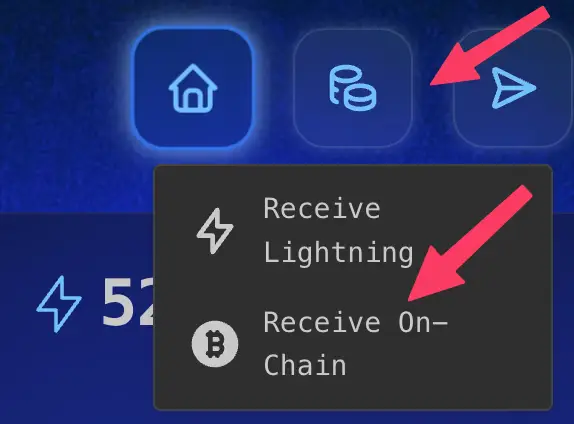
- Tap Generate New Address
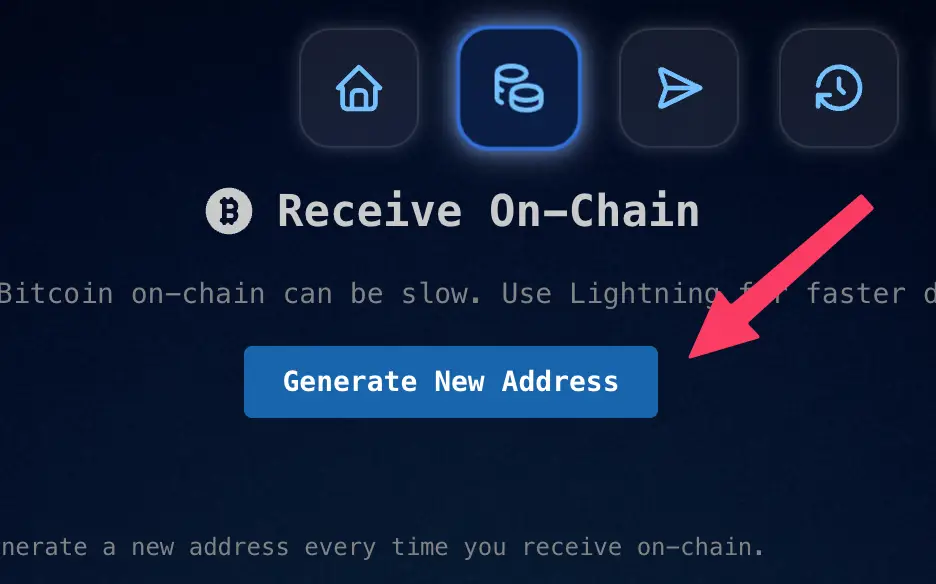
- Copy the address with the copy button next to it (or tap the arrow to show the whole address and check it).
- Send Bitcoin to that address from your wallet or exchange. On an exchange, choose a Bitcoin withdrawal on the Bitcoin network, not Lightning and not another chain.
- Wait for confirmations. The deposit appears under the address as Inbound Transactions, first marked Unconfirmed, then Confirmed.
- Once it's confirmed, the full amount is in your balance and you can spend it on Lightning.
How long it takes
Rizful credits a deposit once it has enough confirmations:
| Deposit | Confirmations needed | Typical wait, if it makes the next block |
|---|---|---|
| Up to 250,000 sats | 2 | about 20 minutes |
| Over 250,000 sats | 4 | about 40 minutes |
Bitcoin blocks arrive about every 10 minutes on average, so these are averages, not promises. A deposit sent with a low fee can wait longer for its first confirmation. If a deposit hasn't confirmed yet, paste its transaction ID into the Unconfirmed Transaction Checker to see why and whether it can be sped up.
What it costs
Rizful charges nothing to receive: the full amount that arrives is credited. The sender pays the Bitcoin network fee, as with any on-chain payment. The live Bitcoin fees page shows what that costs right now.
Tips
- Use a new address each time. The Receive On-Chain screen keeps your earlier addresses, and they still work, but a fresh address for each deposit is better for your privacy.
- Need it on Lightning faster? If the sender can pay over Lightning, have them pay your Lightning address or an invoice instead: it arrives in seconds.
Going the other way
To send your Lightning balance to a Bitcoin address, see How To Swap Lightning Funds to On-Chain. If you used Boltz for this, see Best Free Boltz Alternative.